Agentic AI Course - Part 1
Published October 29, 2025
Agentic AI Course - Part 1
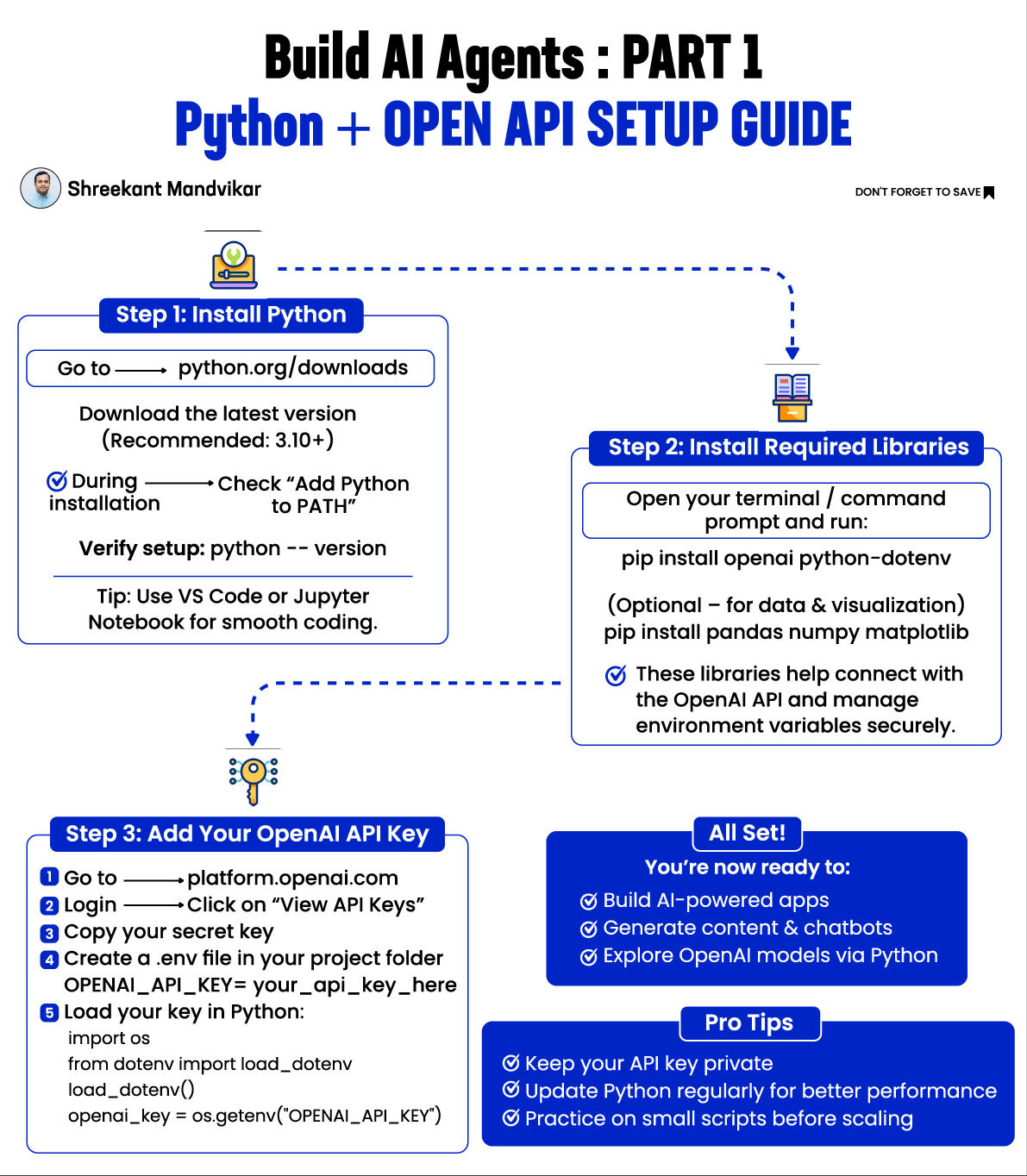
SETUP GUIDE: PYTHON + OPENAI API IN 3 STEPS 🧩 Step 1: Install Python Go to → python.org/downloads
Download the latest version (Recommended: 3.10+)
During installation → ✅ Check “Add Python to PATH”
Verify setup:
python --version Tip: Use VS Code or Jupyter Notebook for smooth coding.
Step 2: Install Required Libraries Open your terminal / command prompt and run: pip install openai python-dotenv
(Optional – for data & visualization) pip install pandas numpy matplotlib
✅ These libraries help connect with the OpenAI API and manage environment variables securely.
Step 3: Add Your OpenAI API Key Go to → https://lnkd.in/eTwH9DWw
Login → Click on “API Keys" -> "Create New Secret API key" or "View API Keys”
Copy your secret key
Create a .env file in your project folder
OPENAI_API_KEY=your_api_key_here
Load your key in Python:
import os from dotenv import load_dotenv
load_dotenv() openai_key = os.getenv("OPENAI_API_KEY")
All Set! You’re now ready to: Build AI-powered apps Generate content & chatbots Explore OpenAI models via Python
Pro Tips Keep your API key private Update Python regularly for better performance Practice on small scripts before scaling
Part 2 Build Simple AI Agent - Nov 2
Originally posted on LinkedIn · 444 likes · 51 comments